Find your way around
The menu, the project switcher and your profile menu.
Every page has the same frame: the menu on the left, the project you're in at the top left, and your profile menu at the top right.
Projects
A project is a separate workspace, for example one per site or per client. Click Switch project under the project name to see your projects and move between them.
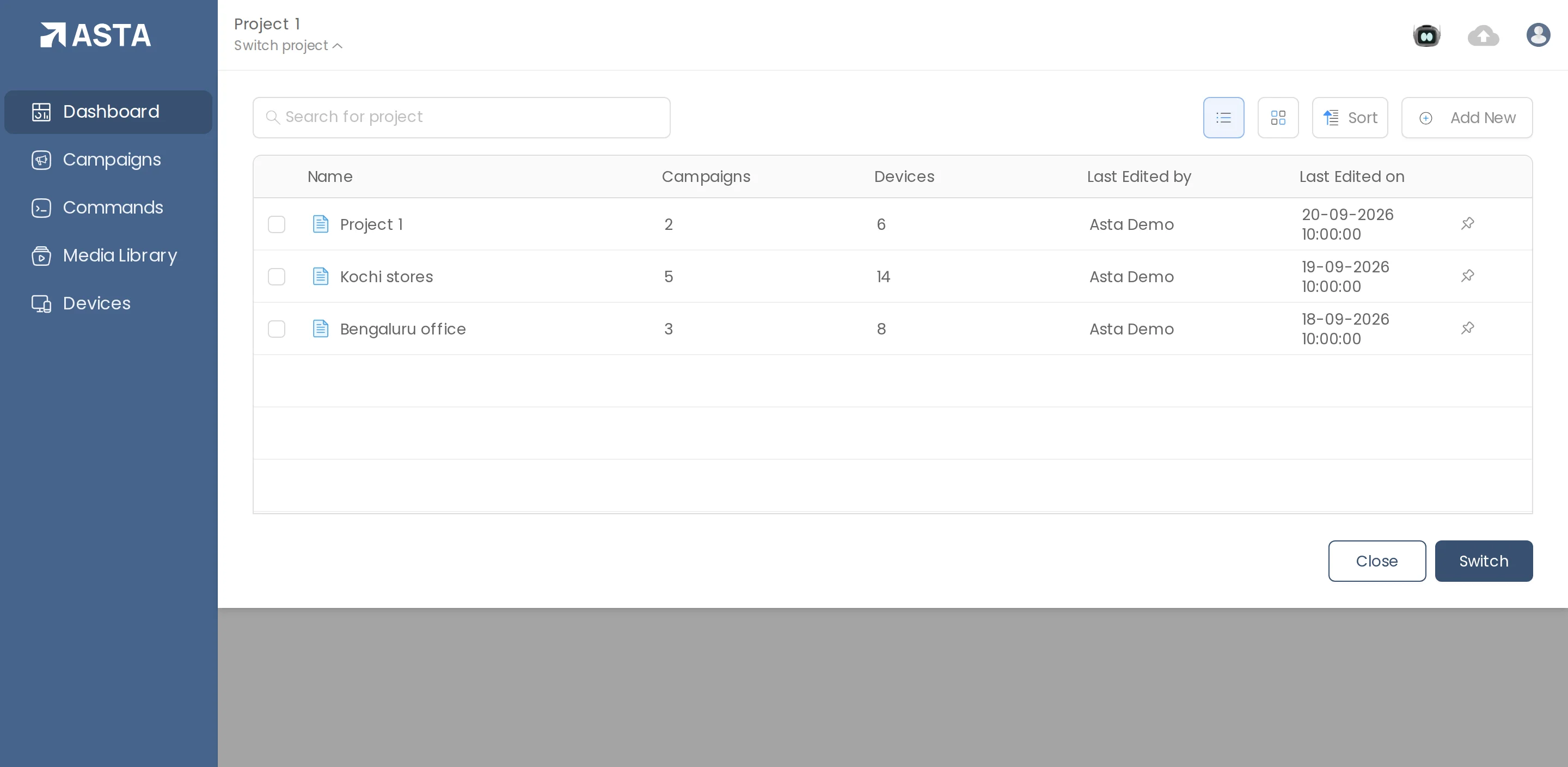
Your profile menu
Click the profile icon at the top right for Account, Users, Roles, Control Panel, Support Center, Licenses and Logout.
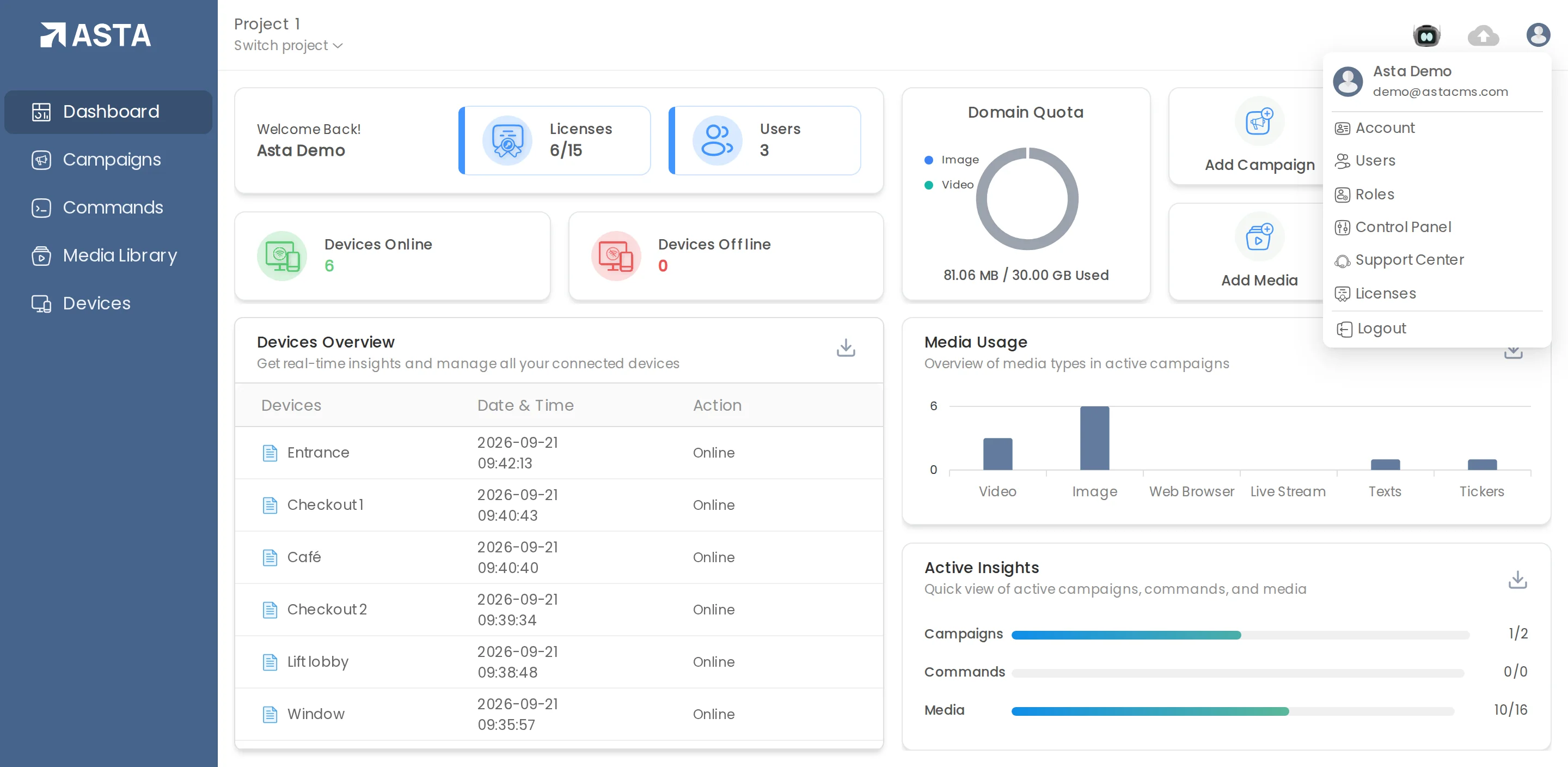
Lists work the same everywhere
Campaigns, Devices, Media Library and Commands are all lists with the same tools: search on the left, Sort and Add New on the right, and a list or grid view. Right-click an item for more actions, and use Add New then Folder to group items.
Can't find what you need?
Email [email protected] and a person from our team will reply.