Device logs
Every event on a screen: downloads, playback, restarts, network drops. Professional
Open a screen and click the Device Logs tab. Each line has a time, a message and a level, so you can see exactly what the screen did and when.
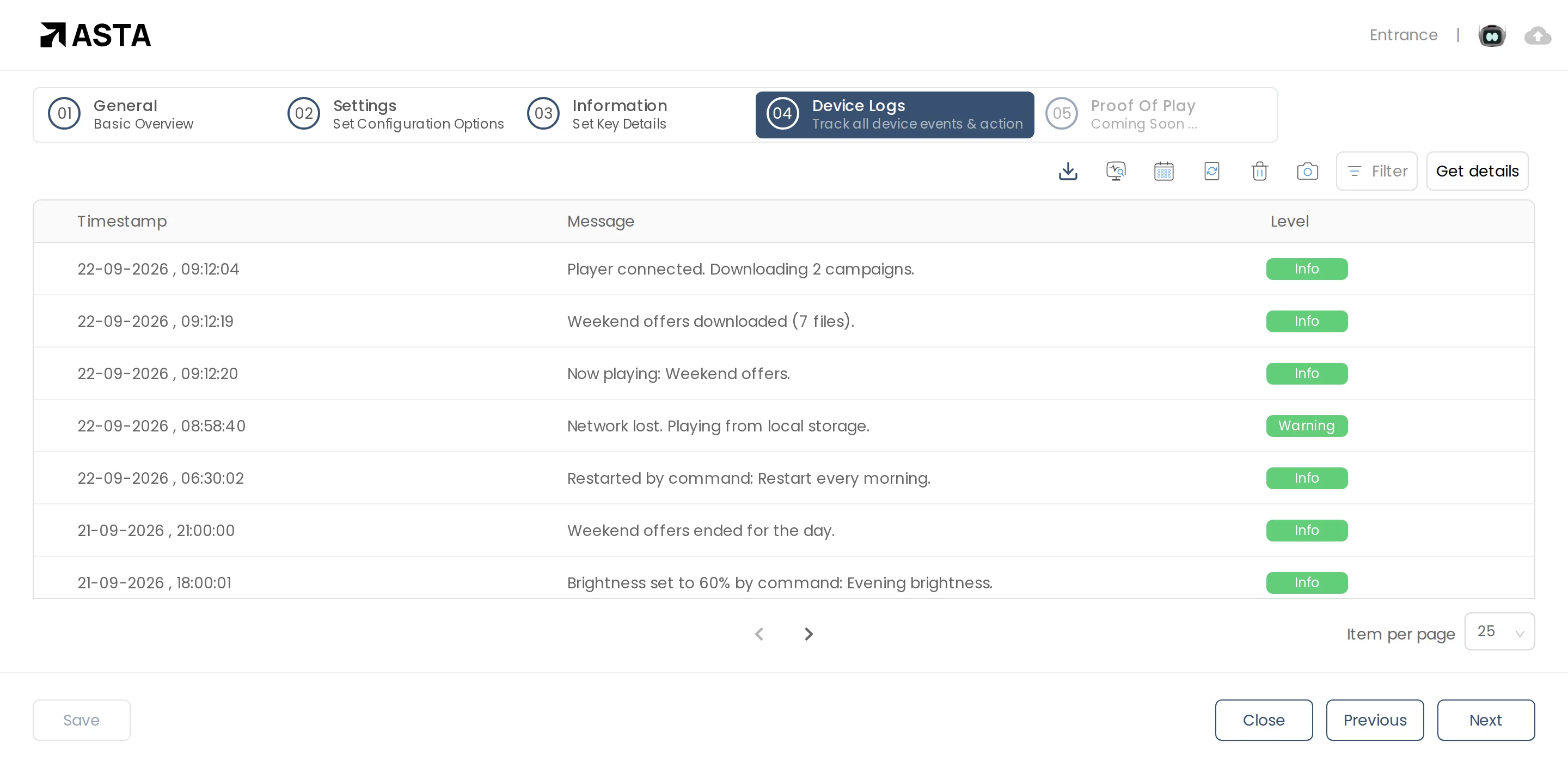
Use Filter to show one level, and the download icon to save the logs for a date range.
Remote screenshots and updates
The icons above the tabs let you take a screenshot of what the screen is showing right now, check the player for updates, and more, without going to the site.
Can't find what you need?
Email [email protected] and a person from our team will reply.